
This tutorial was written in 2020. The examples were checked in sequence with Pandas 2.2.3 and Faker 4.1.3.
This second post continues the first Pandas exercise using the same DataFrame. Generated Faker names can differ by version; substitute labels that exist in your own data.
df.head()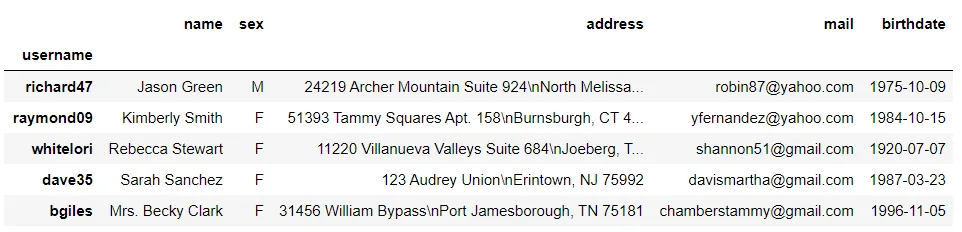
Working with the index
Reset and set an index
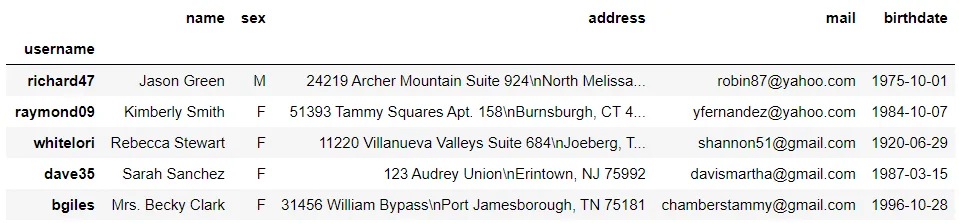
reset_index turns the current index back into a column; set_index selects a column to use as the index:
df = df.reset_index()
df.head()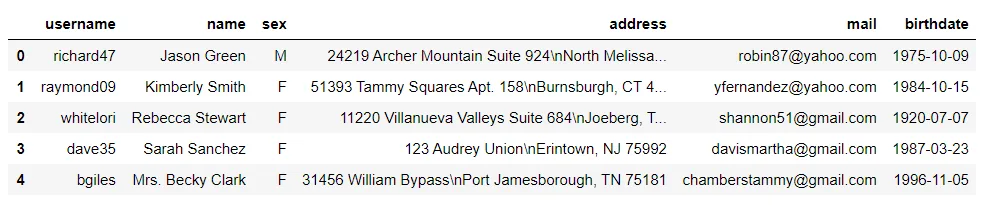 ```python
df = df.set_index("username")
df.head()
```
Select or extend an index with reindex
reindex returns rows for requested labels and can add labels absent from the original data. Missing rows contain NaN values:
# Select the first ten rows
df_temp = df.head(10)
df_temp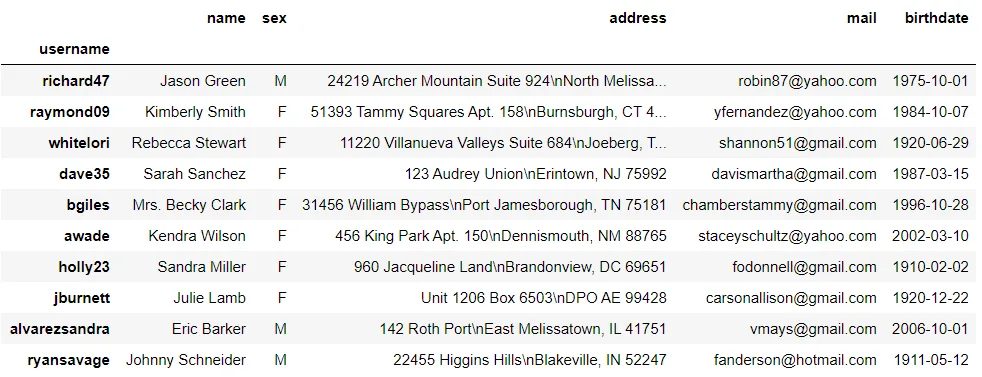 ```python
df_temp.reindex(["richard47", "whitelori", "holly23", "SJQUANT", "STOCK_KING", "tina93"])
```
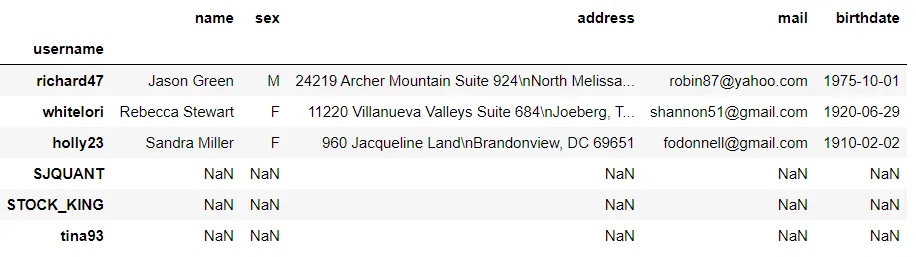
See the Pandas indexing reference for more, including DatetimeIndex and MultiIndex.
Working with columns
Rename columns
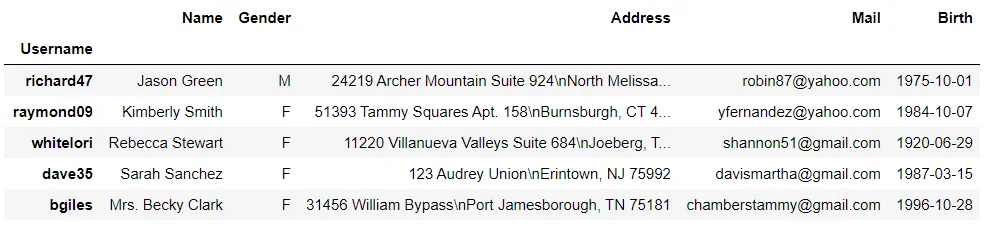
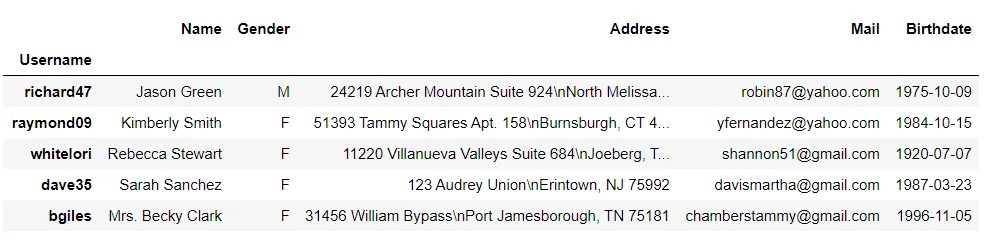
Inspect df.columns, assign all column names and an index name, or use rename to change only selected names:
df.columns ```python
df.columns = ["Name", "Gender", "Address", "Mail", "Birth"]
df.index.name = "Username"
df.head()
```
 ```python
df = df.rename(columns={"Birth": "Birthdate"})
df.head()
```
Add and remove columns
Assign a Series to df[column_name] to add or replace a column. Convert birth dates to datetime and add an age column:
# Convert Birthdate to a datetime type
df["Birthdate"] = pd.to_datetime(df["Birthdate"])

# Add an Age column
df['Age'] = pd.Timestamp.now().year - df["Birthdate"].dt.year
df.head()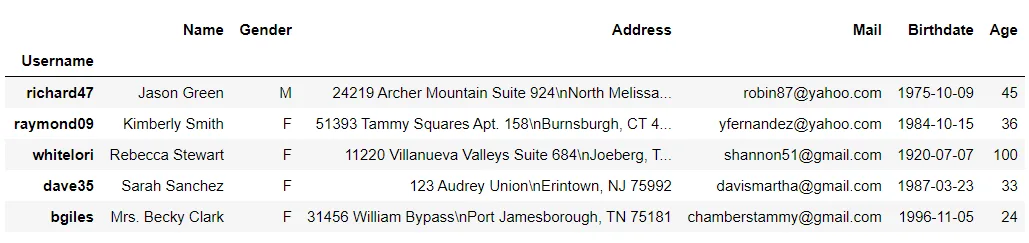
Use drop with axis=1 (or axis="columns") to remove a column:
df = df.drop("Birthdate", axis=1) # axis="columns" also works
df.head()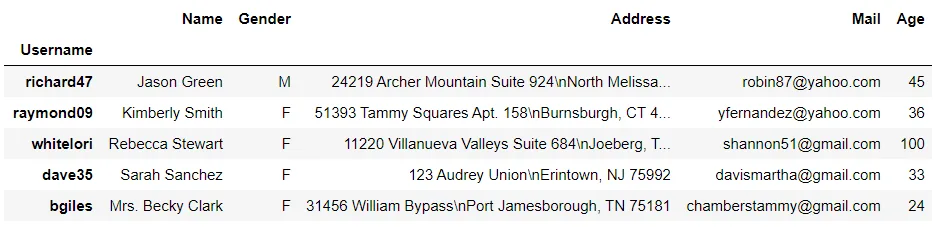
Merge DataFrames
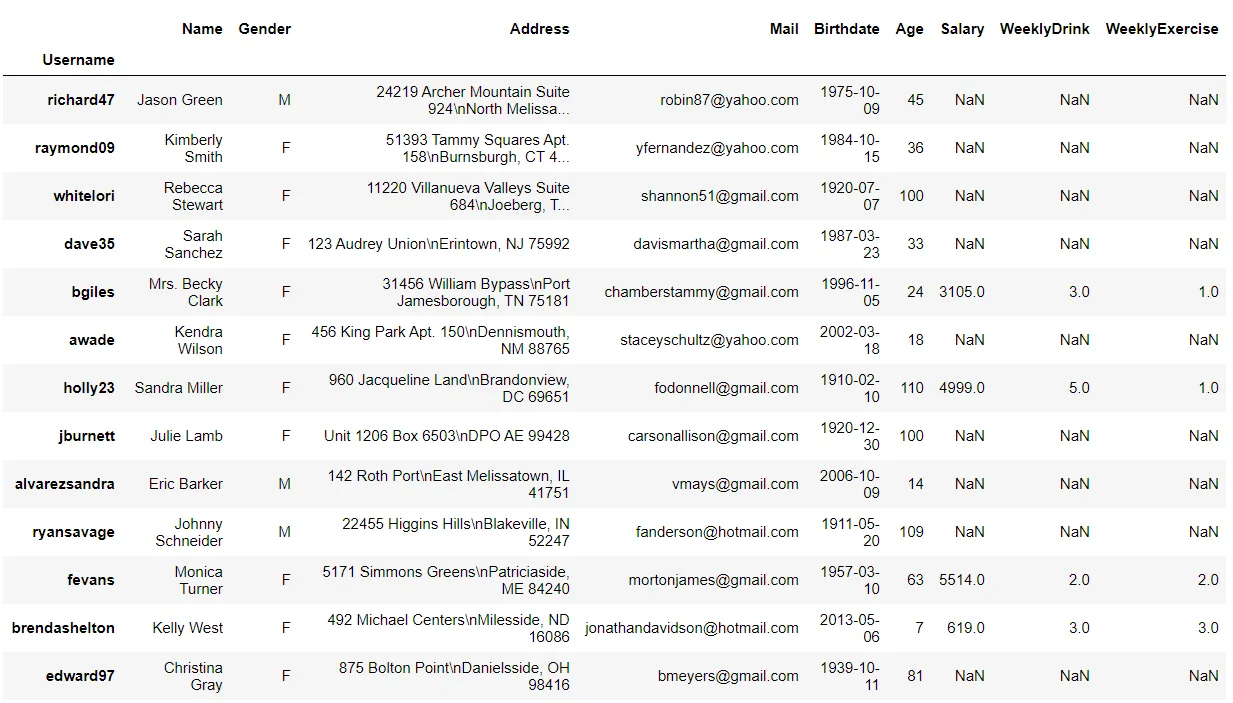
Create a second DataFrame for 150 sampled usernames, then merge it with the first using a left join:
import random
data2 = {
"Salary": [random.randrange(10, 10000) for _ in range(150)],
"WeeklyDrink": [random.randrange(0, 11) for _ in range(150)],
"WeeklyExercise": [random.randrange(0, 6) for _ in range(150)]
}
df2 = pd.DataFrame(data2,index = df.sample(150).index)
df2.head()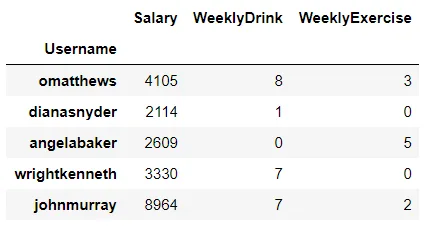 ```python
df = pd.merge(df, df2, on="Username", how="left")
df.head(20)
```
The Pandas merging guide covers additional join and concatenation options. The next post continues with data types and missing values.