
This tutorial was written in 2020. The examples were checked in sequence with Pandas 2.2.3 and Faker 4.1.3.
This third post continues the DataFrame from parts one and two.
df.head()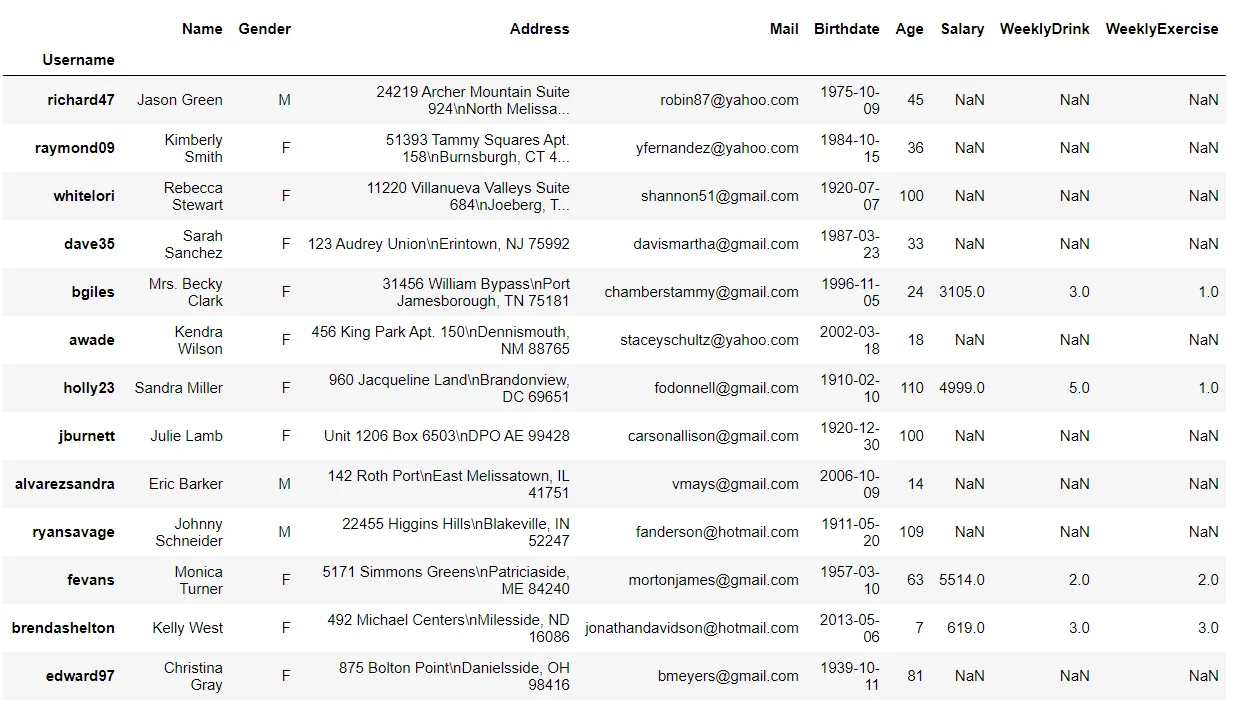
Summarize the data
Inspect and change column types
dtypes shows each column's data type. In this example, object contains strings, int64 represents integers, and float64 represents floating-point values. Choosing suitable numeric widths can reduce memory use, but the chosen type must accommodate the values.
df.dtypes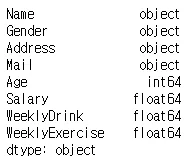
Use astype to change types. Here Age becomes int8 and the numeric columns become float32:
df = df.astype({"Age": "int8", "Salary": "float32", "WeeklyDrink": "float32", "WeeklyExercise": "float32"})
df.dtypes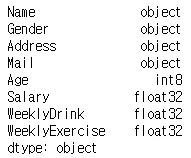
NumPy integer types cannot represent NaN; Pandas also provides nullable integer types for missing values.
Summary statistics and correlations
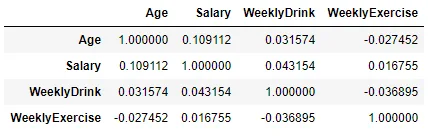
describe summarizes numeric columns; corr calculates correlations between the selected columns:
df.describe()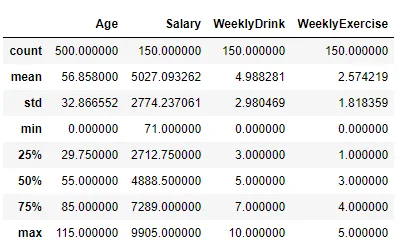 ```python
df.loc[:,["Age", "Salary","WeeklyDrink", "WeeklyExercise"]].corr()
```
Handle missing values
Drop missing values
dropna removes rows containing missing values by default. In the original example, 150 of the 500 rows remain. Use dropna(how="all") to remove only rows where every value is missing.
df = df.dropna()
len(df)
Fill missing values
Add another set of profiles. concat combines DataFrames; columns missing from one input receive NaN:
df2 = pd.DataFrame([fake.simple_profile() for _ in range(100)]).set_index("username")
df2.index.name = "Username"
df2.columns = ["Name", "Gender", "Address", "Mail", "Birthdate"]
df2['Age'] = pd.Timestamp.now().year - pd.to_datetime(df2["Birthdate"]).dt.year
df2 = df2.drop("Birthdate", axis=1)
df = pd.concat([df, df2])
df.tail()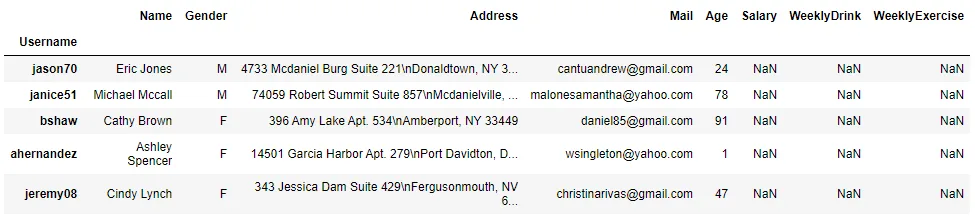
Use fillna to fill values with zero, a previous value, or the median. See the fillna reference and interpolate reference for additional options.
df["WeeklyDrink"] = df["WeeklyDrink"].fillna(0) # Fill with zero
df["WeeklyExercise"] = df["WeeklyExercise"].ffill() # Forward-fill from the preceding value
df["Salary"] = df["Salary"].fillna(df["Salary"].median()) # Fill with the median
df.tail()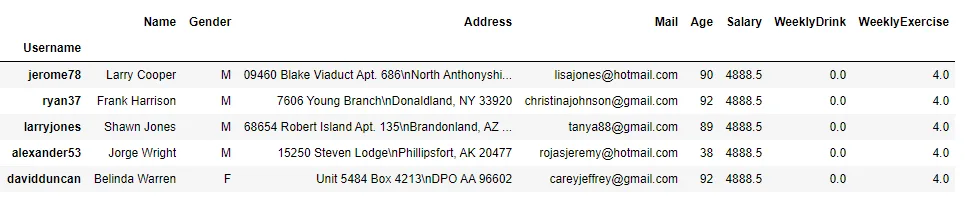
Replace values
replace maps existing values to new ones:
# Replace gender labels
df["Gender"] = df["Gender"].replace({"M": "male", "F": "female"})
df.head()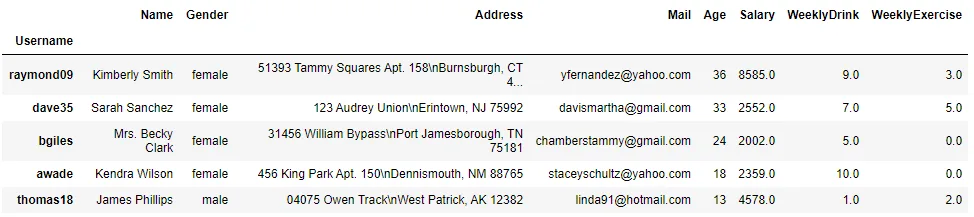
The final post covers masking, filtering, functions, and grouping.