
This tutorial was written in 2020. The examples were checked in sequence with Pandas 2.2.3 and Faker 4.1.3.
This final post continues the DataFrame from parts one, two, and three.
df.head()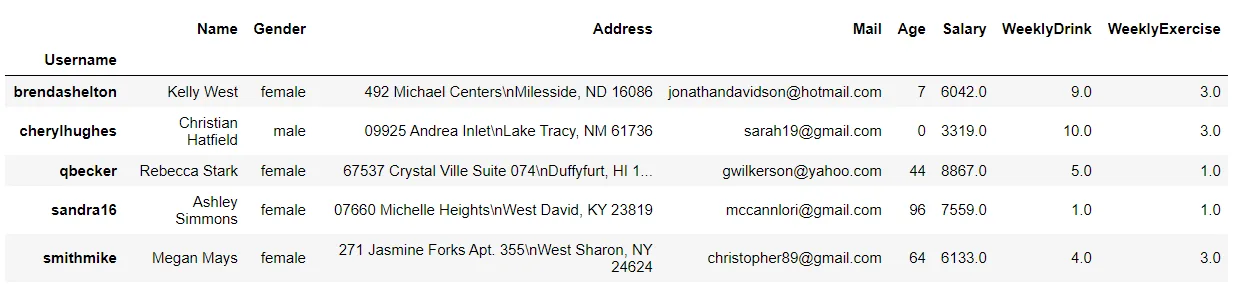
Most examples return a result without assigning it back to df. Assign the result if you want to replace the original DataFrame.
Masking
mask replaces values where the condition is true. This masks rows with a Salary below 6000:
import numpy as np  # Import NumPy

df.mask(df["Salary"] < 6000, np.nan)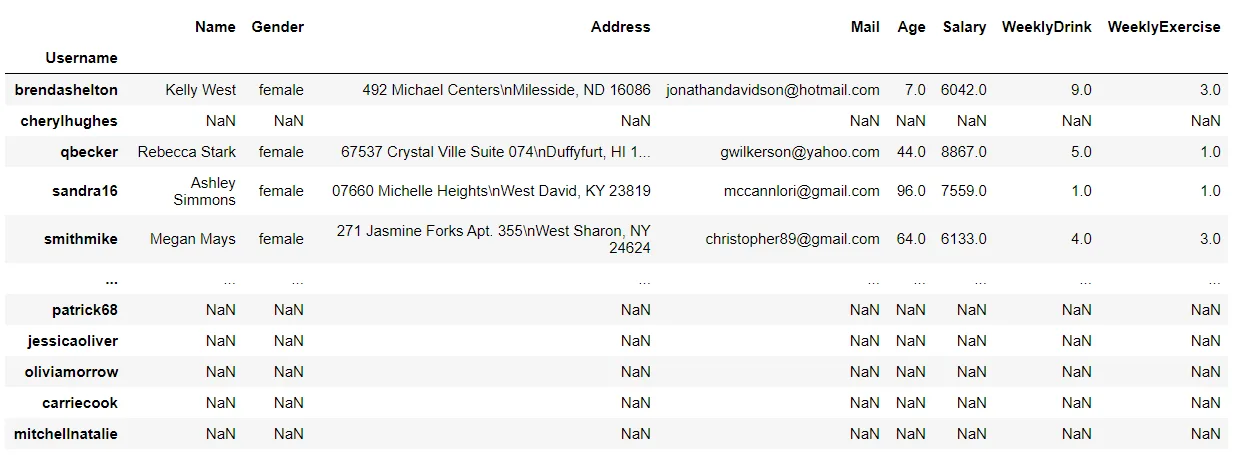
where does the opposite: it replaces values where the condition is false.
df.where(df["Salary"] < 6000, np.nan)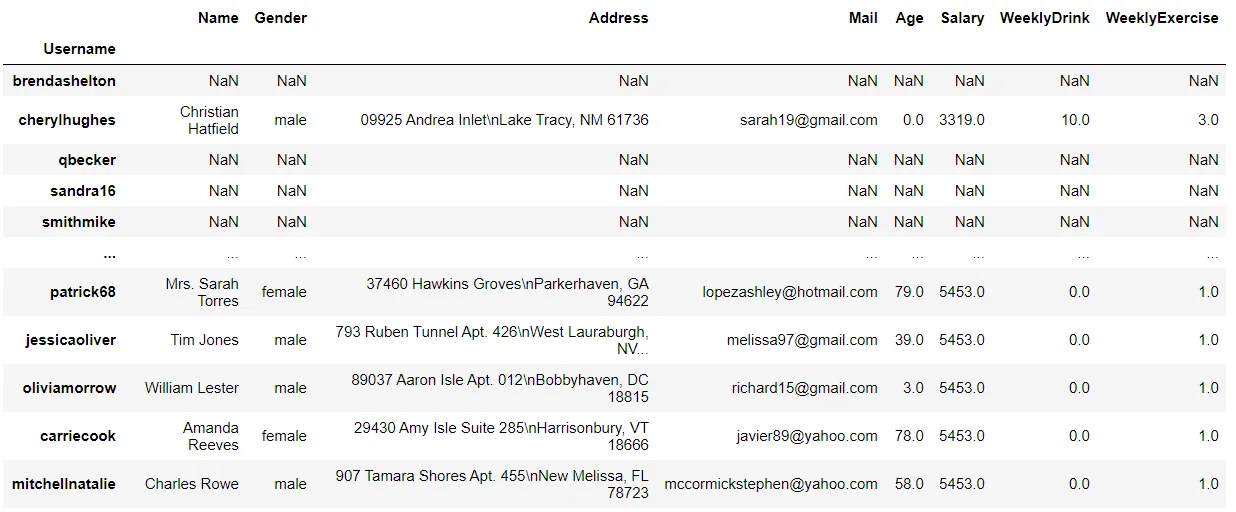
Filtering
Use loc to extract rows matching a condition. Here are rows with Salary at least 5000:
df.loc[df["Salary"] >= 5000]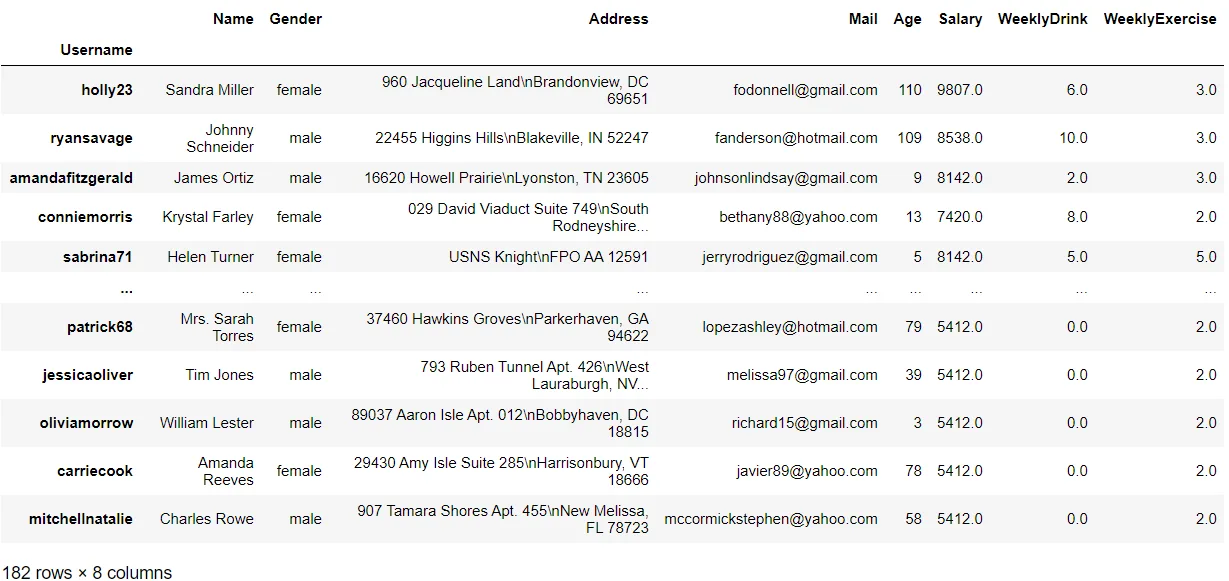
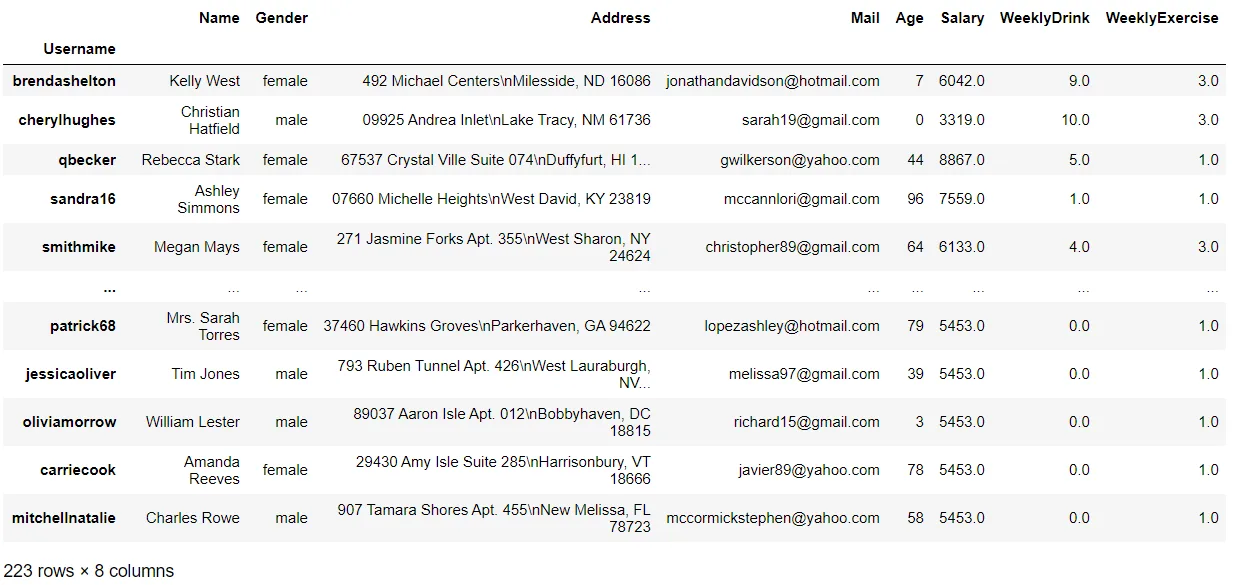
Combine conditions with & (and) or | (or), enclosing each condition in parentheses:
df.loc[(df["Salary"] >= 5000)&(df["Salary"] < 7000)]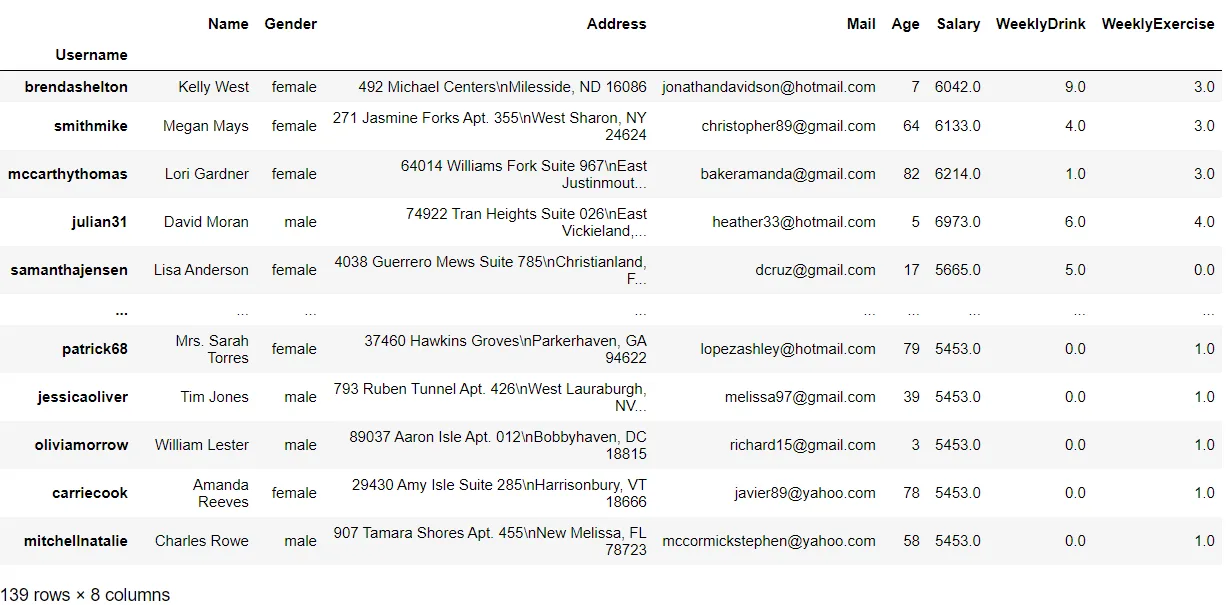 ```python
df.loc[(df["Salary"] >= 5000)|(df["WeeklyExercise"] < 4)]
```
Sorting
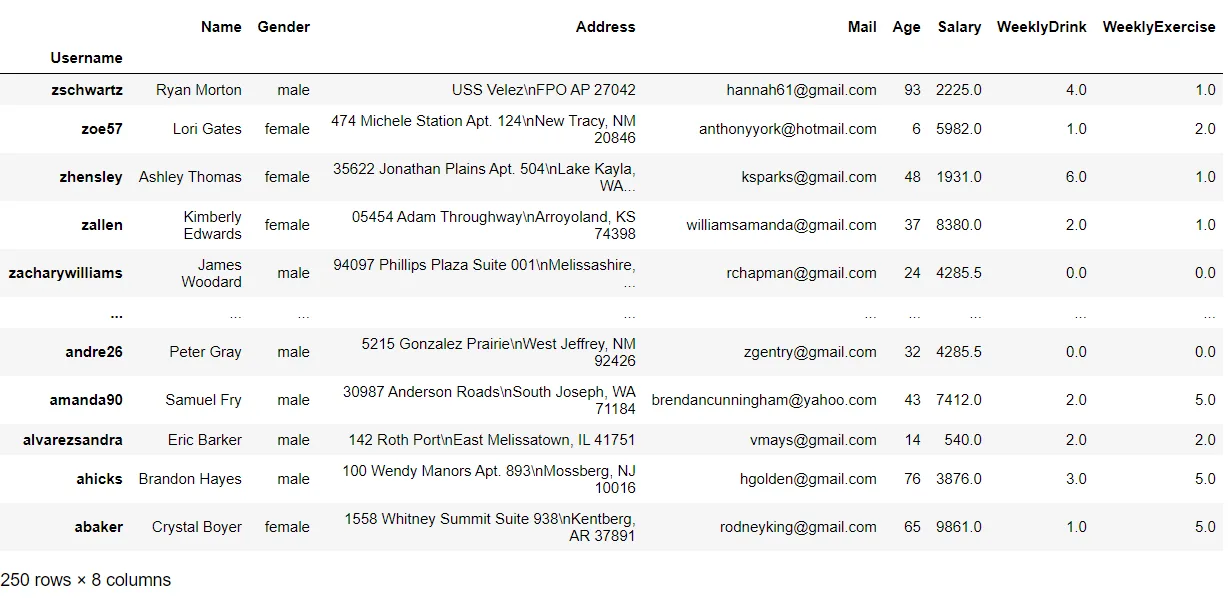
sort_index sorts by index; ascending=False reverses the order:
df.sort_index()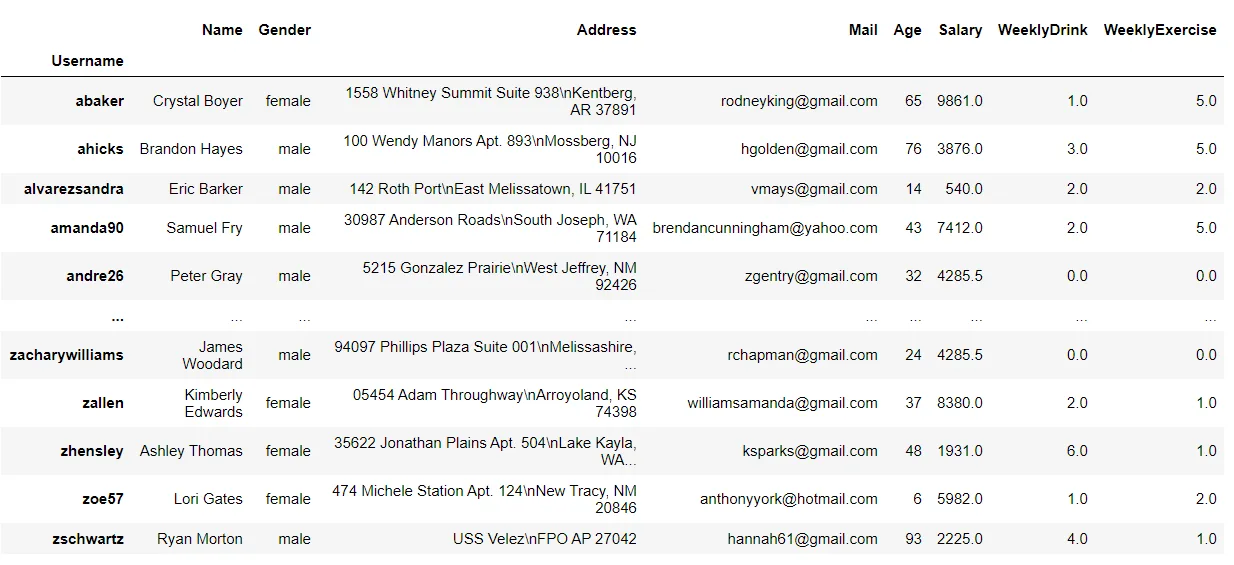 ```python
df.sort_index(ascending=False)
```
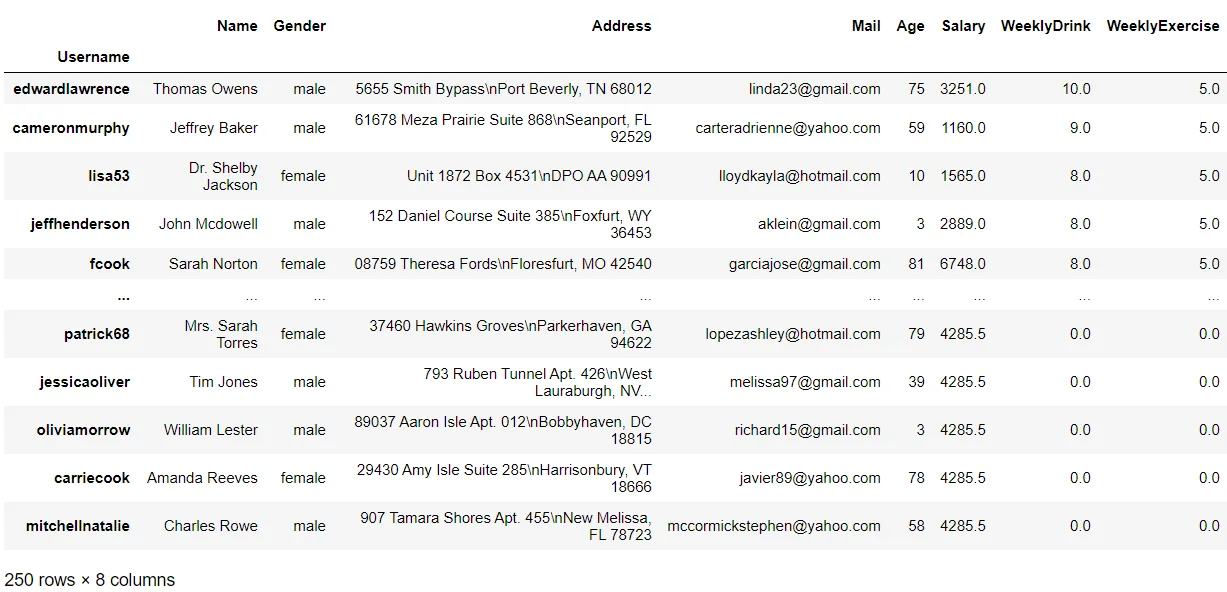
sort_values sorts by one or more columns:
df.sort_values("Salary", ascending=False)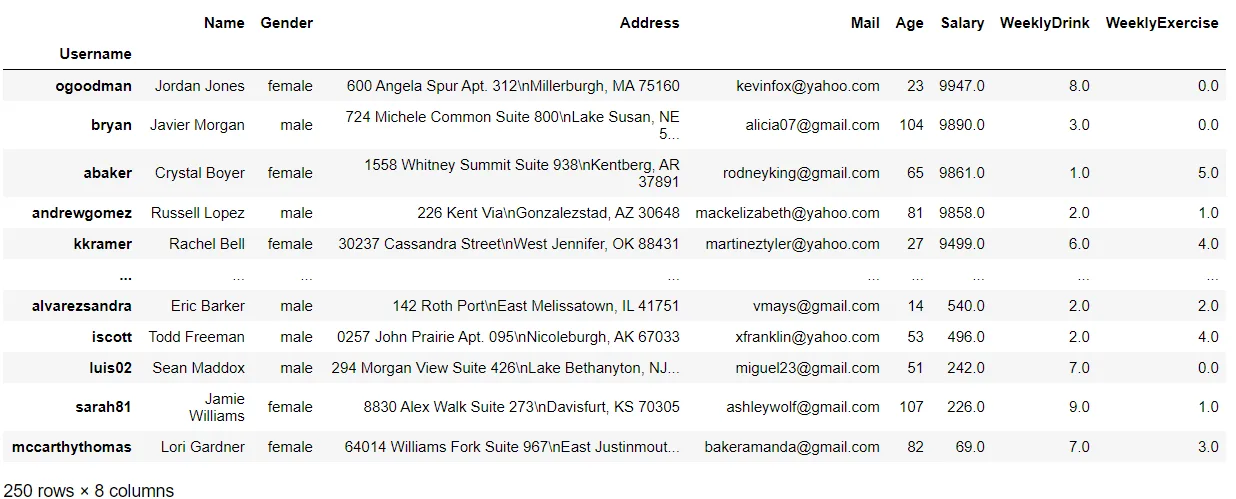 ```python
df.sort_values(["WeeklyExercise", "WeeklyDrink"], ascending=False)
```
Applying functions
apply applies a function to values or to rows. First check whether Pandas offers a built-in operation: vectorized methods are often faster than iterating through values.
This function extracts and joins the first character of each word in an address, then applies it to a Series:
def convert_address(address):
    splitted = address.split()
    first_characters = [each[0] for each in splitted]
return "".join(first_characters)df["NewAddress"] = df["Address"].apply(convert_address)
df.head(10)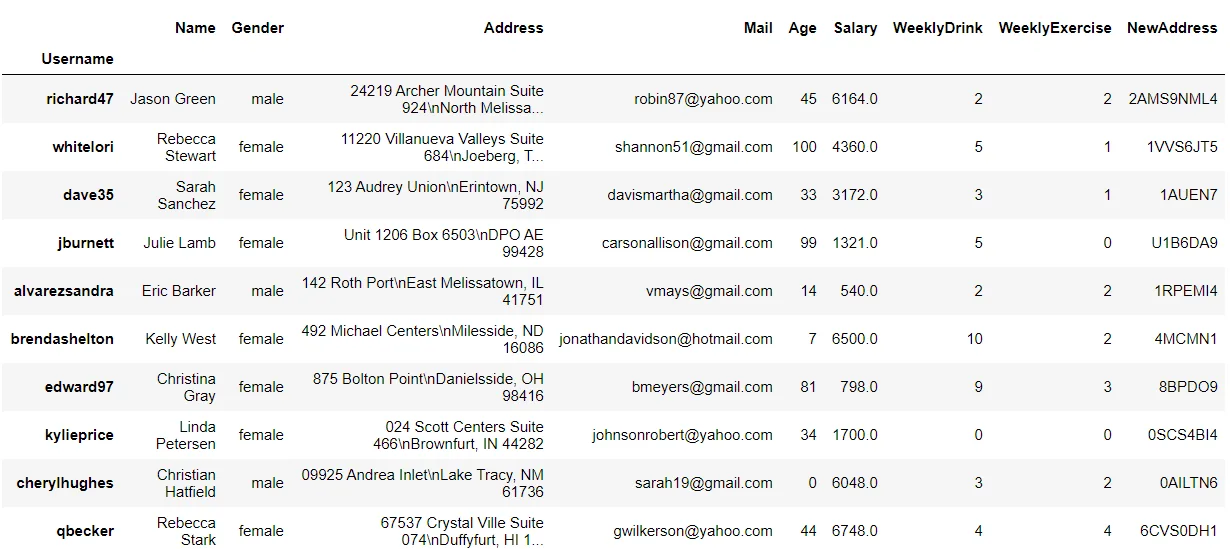
For a DataFrame, apply passes rows with axis=1 or columns with axis=0. This illustrative function applies the author's exercise and drinking criteria to each row; it is not a medical assessment.
def is_healthy(row):
    if row["WeeklyDrink"] < 2:
        return True
    elif row["WeeklyDrink"] < 5 and row["WeeklyExercise"] > 2:
        return True
    elif row["WeeklyExercise"] > 4:
        return True
    else:
return Falsedf["is_healthy"] = df.apply(is_healthy, axis=1)
df.head(10)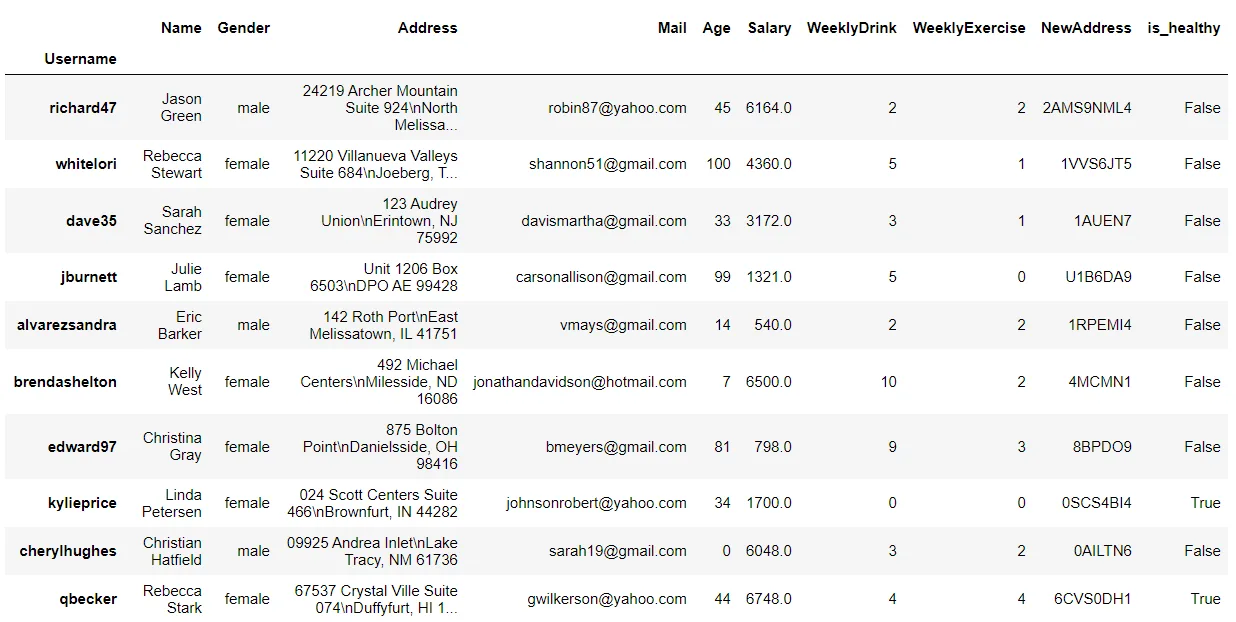
For a short function, use a lambda expression:
df["Age"].apply(lambda x: (x // 10)*10)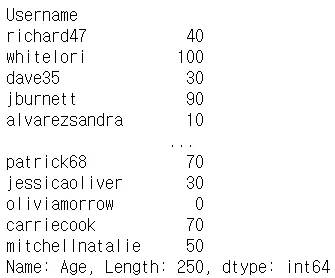
Grouping
Use groupby to calculate statistics for groups. For an index, specify the index level: a single index uses level 0, while a MultiIndex can use another level. Here the median Age and Salary are grouped by WeeklyDrink:
df.set_index("WeeklyDrink").groupby(level=0)[["Age", "Salary"]].median()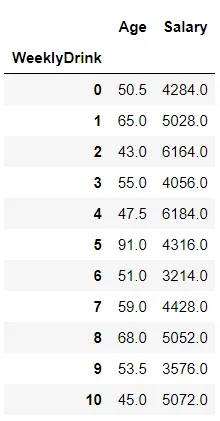
Group by a column by passing its name:
df.groupby(["Gender"]).mean(numeric_only=True)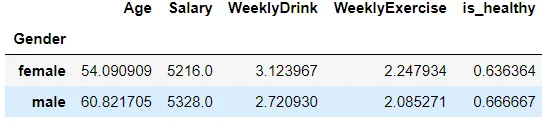
You can also group by a function applied to each index label. This groups usernames by their first character:
def groupby_alphabet(index):
return index[0]df.groupby(groupby_alphabet)[["Salary", "WeeklyExercise", "Age"]].mean()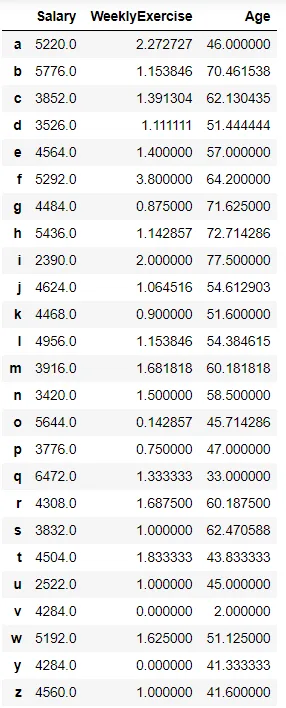
This concludes the Pandas series. The Pandas documentation covers many more operations.